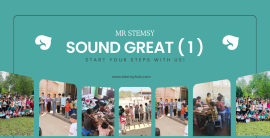

ကျောင်းသားသုံးစာအုပ် (Student Book) : Daniel Beh ရေးသားပြုစုထားပြီး ကျောင်းသားများအတွက် အဓိက အရင်းအမြစ်ဖြစ်ပါသည်။ ၂၀၂၃ ခုနှစ် ဖေဖော်ဝါရီလတွင် ပထမအကြိမ် ထုတ်ဝေခဲ့ပြီး စာမျက်နှာ ၃၀၄ မျက်နှာ ပါဝင်ပါသည်။
အလုပ်စာအုပ် (Workbook) : Sabiha Munshi ရေးသားပြုစုထားပြီး ကျောင်းသားများ သင်ခန်းစာများကို လက်တွေ့လေ့ကျင့်ရန်နှင့် အသုံးချရန်အတွက် ထပ်ဆောင်းလေ့ကျင့်ခန်းများ ပါဝင်ပါသည်။
Pearson Inspire Computing International သည် iPrimary (အသက် ၅ နှစ်မှ ၁၁ နှစ်) သင်ရိုးအတွက် ရေးဆွဲထားသော ပြည့်စုံသည့် ကွန်ပျူတာ သင်ရိုးဖြစ်ပါသည်။ ဤသင်ရိုးသည် ရိုးရိုး ICT ခေါင်းစဉ်များသာမက ကွန်ပျူတာသိပ္ပံ၏ အခြေခံသဘောတရားများ ပါဝင်သည့် ခေတ်မီကွန်ပျူတာ သင်ရိုးလိုအပ်ချက်များနှင့် ကိုက်ညီစေရန် ဖွဲ့စည်းထားပါသည်။
Year 1 အတွက် သင်ထောက်ကူပစ္စည်းများသည် ပညာရေးနှင့် လုပ်ငန်းနယ်ပယ်မှ ကျွမ်းကျင်သူများ၏ ပူးပေါင်းဆောင်ရွက်မှုဖြင့် ရေးဆွဲထားခြင်းဖြစ်ပြီး ဒစ်ဂျစ်တယ်ခေတ်တွင် ကြီးပြင်းလာသော ကျောင်းသားငယ်များအတွက် ခေတ်မီပြီး သက်ဆိုင်မှုရှိသော သင်ခန်းစာများ ဖြစ်စေရန် ရည်ရွယ်ပါသည်။ ဤသင်ရိုးသည် ဆရာ၊ဆရာမများအတွက် ရှင်းလင်းပြတ်သားပြီး ကောင်းမွန်စွာ ပံ့ပိုးပေးထားသည့် သင်ကြားရေးလမ်းကြောင်းကို ပံ့ပိုးပေးကာ ခေါင်းစဉ်အခြေပြု ချဉ်းကပ်နည်းကို အသုံးပြုထားသည်။
အဓိကကျွမ်းကျင်မှုများ ဖြည့်ဆည်းပေးခြင်း : ကျောင်းသားများကို ကွန်ပျူတာဖြင့် တွေးခေါ်ခြင်း (computational thinking)၊ ဘာသာစကားနှင့် လက်တွေ့အသုံးချ ကွန်ပျူတာကျွမ်းကျင်မှုများ ဖြည့်ဆည်းပေးရန် ရည်ရွယ်ပါသည်။
နောင်တွင် ဆက်လက်သင်ယူရန် အထောက်အကူပြုခြင်း : ဤအခြေခံကျွမ်းကျင်မှုများသည် ကျောင်းသားများအား နောင်တွင် International GCSE သို့မဟုတ် UK GCSE ကဲ့သို့သော မြင့်မားသည့် ပညာအဆင့်ဆင့်သို့ ဆက်လက်တက်လှမ်းရန် အထောက်အကူပြုရန် ရည်ရွယ်ပါသည်။
Digital technology ဆိုတာ ဘာလဲ။
ကွန်ပျူတာနဲ့ ပုံဆွဲကြမယ်။
Digital technology အကြောင်း အစီအစဥ်ချကြည့်ရအောင်
files သိမ်းဆည်းခြင်း၊ ပြန်လည်ဖွင့်ခြင်း။
ကွန်ပျူတာသမိုင်းကြောင်း
ဆော့ဝဲအသုံးပြုပြီး Shape များရေးဆွဲခြင်း။
မတူတဲ့ brush နဲ့ pen များကိုအသုံးပြုကာ ပုံရေးဆွဲနည်း
Mobile Phone များ၏ သမိုင်းကြောင်း
digital စက်ပစ္စည်းများအတွက် အစီအစဥ်ရေးဆွဲခြင်း
မိမိ အိုင်ဒီယာတင်ပြခြင်း
multi-role devices အကြောင်းလေ့လာခြင်း
Digital Video ရိုက်ကူးခြင်း
digital devices များအား အိမ်တွင်အသုံးပြုခြင်း
multi-role devices အကြောင်း ဗီဒီယိုရိုက်ကူးခြင်း
အွန်လိူင်း နှင့် offline အကြောင်း
online အားလုံခြုံစွာအသုံးပြုခြင်း
online တွင် မိမိမသိသောသူများနှင့်တွေ့ဆုံခြင်း
apps များအား အကောင်းဖက် အသုံးပြုခြင်း
online တွင် လုံခြုံစွာနေနည်း ဗီဒီယိုအတွက် planning ရေးဆွဲခြင်း
online တွင်လုံခြုံစွာနေနည်း ဗီဒီယိုရိုက်ကူးခြင်း
Stop motion animation လေ့လာခြင်း
stop motion animation software အသုံးပြုခြင်း
stop motion animation အားအဖွဲ့လိုက် ပြုလုပ်ခြင်း
Onion skinning အကြောင်းလေ့လာခြင်း
animation ပြုလုပ်ရန် storyboard အားအသုံးချနည်း
background ပြုလုပ်ခြင်း
မိမိ animation အတွက် model တစ်ခုပြုလုပ်ခြင်း
stop motion animation ပြုလုပ်ခြင်း
stop motion animation အား edit ပြုပြင်တည်းဖြတ်ခြင်း
stop motion film အားကြည့်ရှုပြီး feedback ပြန်လည်ပေးခြင်း
algorithms အကြောင်းလေ့လာခြင်း
algorithms ကိုဘယ်လိုစစ်ဆေးမလဲ။
algorithms တစ်ခုရေးဆွဲခြင်း
algorithms အား ပြုပြင်ခြင်း
algorithms တွင်ပါသော တည်နေရာပြစကားလုံးများအတိုင်း လုပ်ဆောင်ခြင်း
တည်နေရာပြစာလုံးများအား algorithms တွင် ပြုပြင်ပြောင်းလဲခြင်း
တည်နေရာပြစာလုံးများဖြင့် algorithms ပြုလုပ်ခြင်း
လေ့ကျင့်ခန်း algorithms အတွက်ပြင်ဆင်ခြင်း
လေ့ကျင့်ခန်း algorithm တစ်ခု ဖန်တီးခြင်း
လေ့ကျင့်ခန်း algorithm အားပြန်လည်စစ်ဆေးခြင်း
word processors အကြောင်းလေ့လာခြင်း
word processor အသုံးပြုခြင်း
font size အမျိုးမျိုးအသုံးပြုခြင်း၊ မျဥ်းတားခြင်း။
font size အမျိုးမျိုးအသုံးပြုခြင်းနှင့် မျဥ်းတားခြင်း အပိုင်း(၂)
bold နှင့် italics အား စာသားတွင်အသုံးချခြင်း
bold နှင့် italics အား စာသားတွင်အသုံးချခြင်း
bullet point အသုံးချခြင်း
font ပြောင်းခြင်းနှင့် bullet point အသုံးပြုခြင်း
စာရိုက်ရန်ပြင်ဆင်ခြင်း
word processor application အသုံးပြုပြီး တစ်ခုခုရေးသားခြင်း
Programming မိတ်ဆက်
Programming မိတ်ဆက်
Bee-Bot အတွက် map ဖန်တီးပေးခြင်း
Simple code ဘယ်လိုသုံးရမလဲဆိုတာကို လေ့လာခြင်း
Algorithms ဖန်တီးခြင်း၊ ပြန်ပြင်ခြင်း နှင့် လိုက်နာဆောင်ရွက်ခြင်း
screen turtle ရွေ့လျားအောင် ဖန်တီးခြင်း
Shapes ဆွဲရန် ရိုးရှင်းသော program ရေးသားခြင်း
Turtle Logo ထဲတွင် Shapes ဆွဲရန် Program ရေးဆွဲခြင်း
Turtle Logo ဖြင့် program ရေးရန် အစီအစဥ်ဆွဲခြင်း
Turtle Logo အသုံးပြုပြီး Letters ရေးခြင်း
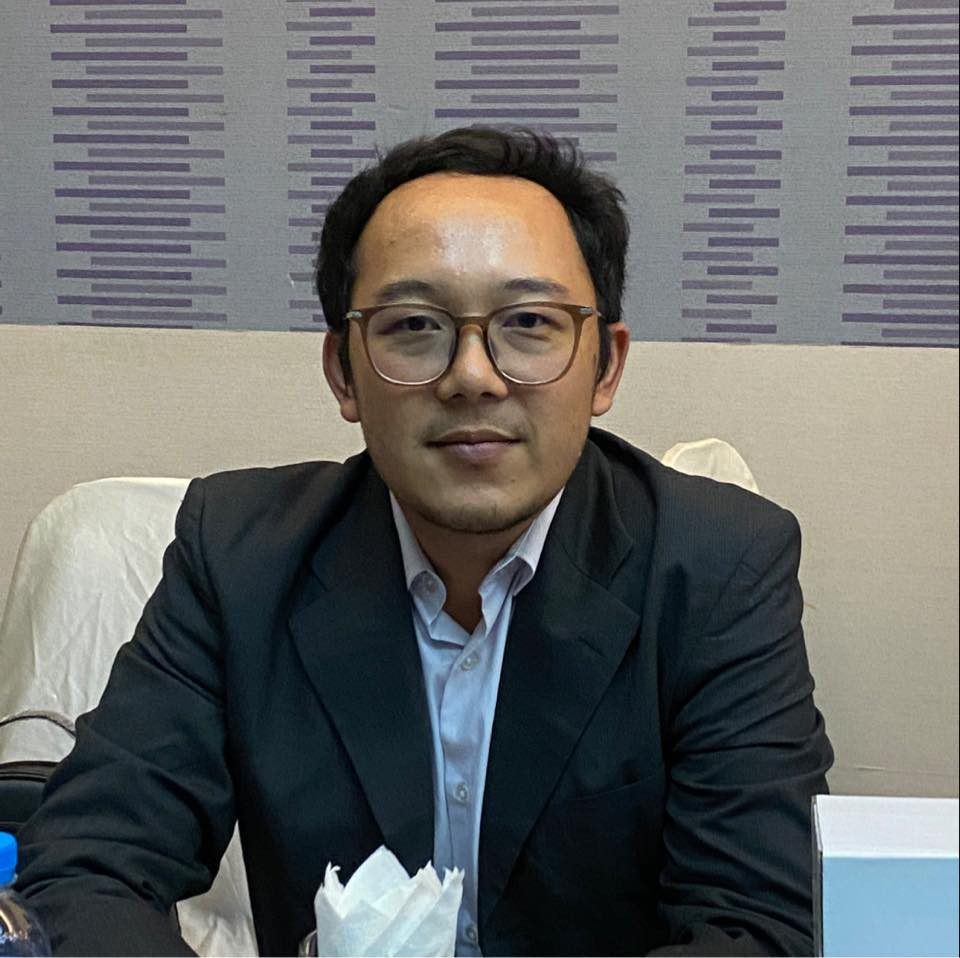
Name : Sai Say Pan Pha
Academic : B.A English
I am a dedicated and multifaceted educator and management professional with over eight years of experience in teaching, training, and educational leadership. My career is driven by a passion for fostering learning environments and a commitment to community development, spanning the private sector, non-profit organizations, and international schools.
My academic foundation includes a **Bachelor of Arts in English** from the University of Lashio, complemented by an **Executive Diploma in Business Administration & Management (EDBAM)** from MESI University College. This unique blend of liberal arts and business management allows me to approach education with both a creative and a strategic mindset. I further enhanced my professional toolkit with specialized training in **Project Cycle Management (PCM)** and **Early Childhood Care and Development**, reflecting a deep commitment to holistic and structured educational practices.
My professional journey has been rich and varied. I began as a **Volunteer Teacher** at Shan National School, teaching Science, Computer Basics, and the Myanmar language, while also taking on monitoring and reporting responsibilities. This hands-on experience in the classroom ignited my passion for curriculum and operations, leading me to a role as **Manager at Sanctuary Education Center**, where I oversaw class management, finance documentation, and daily operations.
In 2018, I co-founded **Success Kids Garden**, an experience that allowed me to fully utilize my skills in curriculum preparation, lesson planning, student records, and even social media design. This entrepreneurial venture was a natural precursor to founding my own enterprise, **Mr-Stemsy Training Center**, which I have led since 2018, focusing on delivering quality training programs.
My expertise has been highly valued in the NGO/INGO sector, where I have contributed as a **translator** for organizations like Geneva Call, the ICRC, and Search for Common Ground, specifically on documents related to peace processes. This work underscores my advanced language proficiency and my ability to handle sensitive and complex information.
For the past several years, I have been an integral part of **Bright Stars International School**. My roles have evolved from a **Freelance English Trainer (YLE)** to a full-time **English & Social Studies Subject Teacher**, and most recently, to my current position as **Head of the ICT Department** (since April 2025). This progression highlights my adaptability, leadership, and technical competence.
Beyond my professional roles, I hold an **Active Citizenship** certification, demonstrating a profound understanding of Myanmar's political reform processes and recent history. I am a **quick learner** with key competencies in communication, training, facilitating, organizing, and analyzing. My technical skills are extensive, encompassing the **Adobe Creative Suite** (Photoshop, Illustrator, XD, InDesign), **video editing software** (Camtasia, Power Director), and various other educational and productivity tools. I am fluent in Shan and Burmese and possess an intermediate proficiency in English.
I am eager to leverage my diverse background in education, management, and technology to create impactful learning experiences on this platform.
Computing Year (1)
No Review found